Freelance CRM
Call clients from your phone without a second address book.

Find your Notion contacts in Gmail and on your phone. Potion adds each contact of your Notion database to Google Contacts and keeps it up to date when the page changes.
One click to install.
No code or API keys to manage.
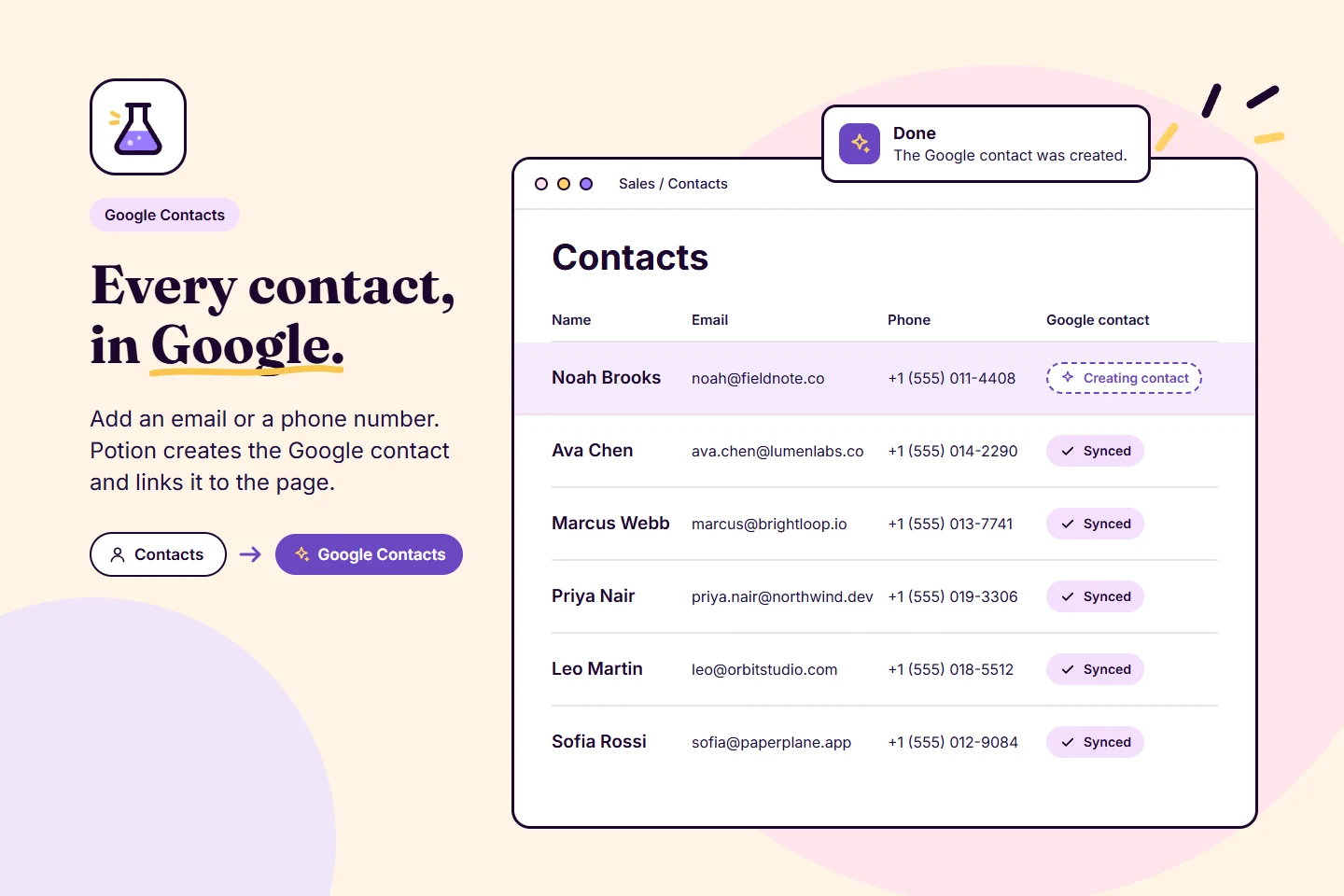
Connect your Google account to the Google Contacts potion and pick your Notion contacts database. Each contact with an email or a phone number is added to Google Contacts with a link back to its Notion page, and updated when the page changes, so it shows up in Gmail and on your phone.
A Google account and a Notion database with a name property and an email or phone property.
Runs when a page is created or its contact details change. A contact already in Google with the same email or phone is updated instead of duplicated, and contacts are filed under a Notion label.
Call clients from your phone without a second address book.
Recognize Notion contacts when they email you in Gmail.
Keep the contacts you manage in Notion one tap away.
No. Deleting a page in Notion leaves its Google contact as it is.
Details you add in Google are kept. The fields Potion syncs follow your Notion page.
No. Notion has no built-in sync with Google Contacts, so contacts have to be exported and imported again after every change.
Google Contacts runs on Potion’s plans. Your first 100 runs are free, with no card needed, then paid plans start at $10 a month billed yearly. A run is one successful execution of a potion on a Notion page.
Updated