Online orders
Follow everything you ordered in a single Notion list.

Get package tracking in Notion without checking every carrier website. Add a tracking number and Potion updates the page with the latest delivery status.
One click to install.
No code or API keys to manage.
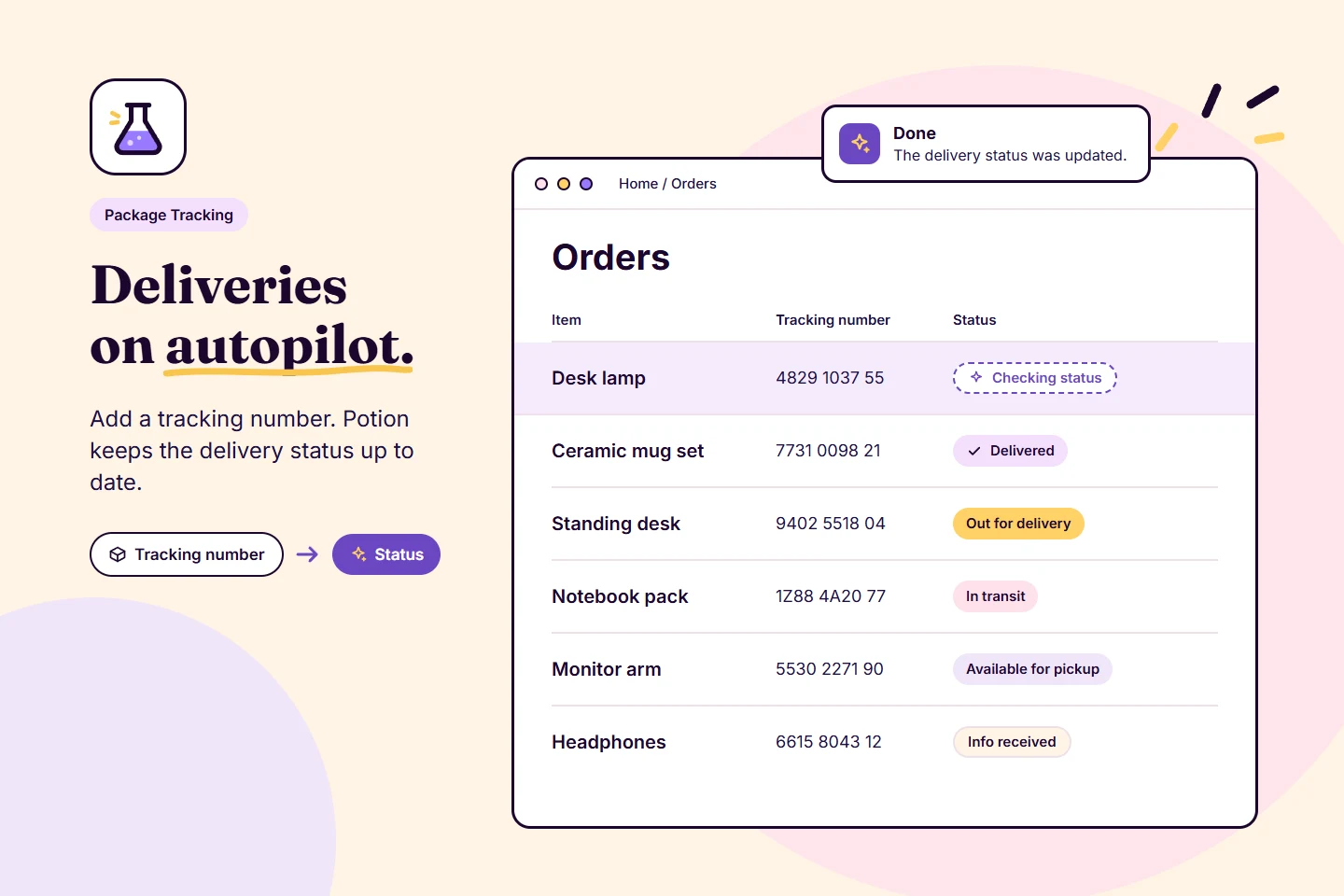
Add a tracking number to a page of your Notion database and install the Package Tracking potion. Potion detects the carrier, writes the current delivery status to your status property, and keeps updating it as the package moves, so your order list stays current without visiting carrier websites.
A Notion database with a tracking-number property and a status property. A carrier property can be used when you want to specify the carrier.
Potion detects or uses the selected carrier, then keeps the delivery status synchronized as tracking updates arrive.
Follow everything you ordered in a single Notion list.
Know which customer orders are delivered without checking each carrier.
Track the parcels you send back until they arrive.
It can detect a carrier from the tracking number, or use a carrier selected in your database.
You can request existing pages during setup. Each processed page counts as a run.
No. Notion has no carrier integration, so delivery statuses have to be copied by hand or pulled with Zapier, Make, or custom code. Potion updates them for you.
Package Tracking runs on Potion’s plans. Your first 100 runs are free, with no card needed, then paid plans start at $10 a month billed yearly. A run is one successful execution of a potion on a Notion page.
Updated